Ordinary kit
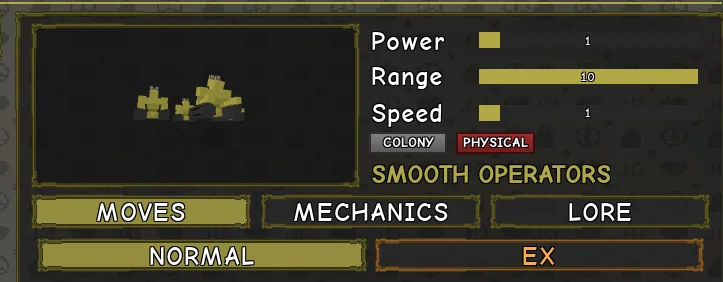
Start with Injury Shift if you need to recover health. Use Rearrange when you need to slow a runner, blur their view or weaken their hits. Both moves change with the number of operators involved.
| Move | Base cooldown | Use |
|---|---|---|
| Injury Shift | 14s | Lift an injury, then transfer it or use the object-disposal option. |
| Rearrange | 16s | Shift a leg, the eyes or an arm. The base effect lasts 8s. |
| Anyone’s Weakness | 24s | Break guard with a low kick that briefly blurs the target’s vision. |
| Internal Pain | 22s | Send deployed operators into an enemy to deal damage over time. |
| Colony Formation | Unlisted | Deploy or return the operators. |
| Pilot Mode | Unlisted | Use Ctrl with the Stand summoned to toggle piloting. |
The Stand card leaves both formation and piloting cooldowns unlisted. It describes the kick’s blur as brief and gives no exact duration.
Injury Shift: lift, then use
- Lift the injury. Hold Injury Shift to make yourself the target when you need to heal yourself. The number of operators sets the maximum fraction of max health that the move can recover and pass on.
- Use Injury Shift again. Transfer the carried injury to another target as damage, or use the second activation to destroy a nearby prop or dropped item.
| Operators | Recovery or transfer cap |
|---|---|
| 1 | Up to 10% of max health |
| 2 | Up to 15% of max health |
| 3 | Up to 20% of max health |
| 4 | Up to 25% of max health |
If you get hit while carrying the injury, or the target blocks the transfer, the injury goes back to its original owner. For example, with two operators the cap is 15%. If you lifted your own injury, a blocked transfer sends it back to you. Look for an opening before committing the second use.
Rearrange: choose the effect by count
Rearrange lasts 8s at base, with a 16s base cooldown. Compare the operator count with the effect you want before using it.
| Operators | Shift | Effect |
|---|---|---|
| 1 | Leg | Slower movement |
| 2 | Eyes | Blurred vision |
| 3 | Leg and eyes | Slow and blur |
| 4 | Leg, eyes and arm | Slow, blur and weaker damage |
Against someone trying to run, one operator gives you the slow. If you have two, expect blur. Three combines the two effects, and four also cuts the target’s damage. Use Anyone’s Weakness when the immediate problem is a guard you need to break.
Pilot Mode and colony control
Summon the Stand, then press Ctrl. In Pilot Mode the operators can travel on walls and ceilings. Press Ctrl again to leave the mode.
Use Colony Formation to deploy or return the operators. If you’re setting up Internal Pain, deploy first.
Keep Internal Pain in reach
Internal Pain sends deployed operators inside an enemy. More operators tick faster, do more damage per tick and stay inside longer. If you and the target move more than 30 studs apart, the operators return. If you want to keep the pressure going, watch the separation before chasing someone else. The card lists 22s for the base cooldown and leaves the tick intervals and stay times unlisted.
EX costs and base timers
| Move | Cost · cooldown | Use |
|---|---|---|
| Face Lift | 2 bars · 18s | Pick up face markings. Use again to apply them to another person. |
| Zip It | 2 bars · 24s | Stop an enemy from chatting for 25s. |
| Lock Up | 2 bars · 25s | Seal a nearby door for 15s. |
| ISHI! ISHI! ISHI! | 3 bars · 35s | Rush the target and take their health HUD for 10s. |
Face Lift: apply or discard the markings
Hold either activation to target yourself. When carrying markings, aim at empty ground to discard them. Unapplied markings disappear from your carry after 20 seconds. Applied markings are a separate effect for the current life.
ISHI! ISHI! ISHI!: check the ground first
You need all four operators on the ground to start the rush. If you’ve sent operators into a target with Internal Pain, wait for the full colony to be back on the ground. The 10s effect takes the target’s health display in the UI.
From the target’s side, watch the health HUD as the move lands.
Ability Scaling. The developer’s scaling card says special EX effects can last up to 50% longer with Ability investment. The table shows base values, and Face Lift’s 20-second carry expiry is listed separately.
How to get Smooth Operators
Smooth Operators is a Rare Part 9 Stand. The rarity table lists two eligible rolls. Use a regular Mysterious Arrow for the regular pool. Choose the craftable Mysterious Rock to roll from the Part 9 pool.
Sources
Developer references and demonstrations reviewed from the November 18, 2026 source capture.