Stand Out controls for fights and movement
The developer’s Controls card lists two inputs for a heavy attack. Press R or use M2, the right mouse button. For a first session, follow the movement tutorial in the beginner guide alongside the PC key table.
| Action | PC input |
|---|---|
| Light attack | Left mouse button |
| Heavy attack | R or M2 |
| Block | F |
| Dash | Q |
| Summon your Stand | E |
| Camera lock | Left Alt |
| Pilot Mode | Left Ctrl (Left Control) on a supported Stand |
| Pose | P |
| Crouch | C |
| EX moves | Hold T |
| Run | Left Shift or W then W |
| Climb a ledge | Jump again near a ledge |
How to time a perfect block
Press F just before an incoming guard break connects. A well-timed block cancels the guard break and leaves an opening to attack.

How Pilot Mode works
Press Left Ctrl (Left Control) if your Stand supports piloting. Pilot Mode lets you control the Stand remotely. Left Alt locks the camera.
See Star Platinum’s inputs and Pilot Mode for a specific kit’s piloting details.

Crouch past cameras and climb up ledges
Use C at security cameras
Press C around security cameras. According to the Crouching card, staying low hides you from cameras and shows their field of vision. Use the visible field to see where the camera is aimed as you look for the vault mechanism in Rohan’s villa.
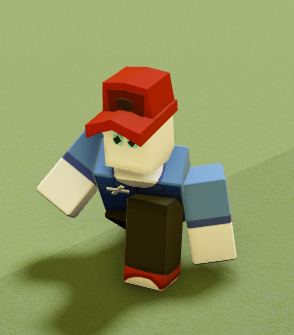

Press jump again near the ledge
When jumping near a ledge, press jump again to climb up.

Charge your EX bar and use EX moves
Dealing damage and posing both charge the EX bar. Press P to pose. The Posing card gives a charge rate of 1% per second while posing. Look below the health bar for the segmented purple gauge.


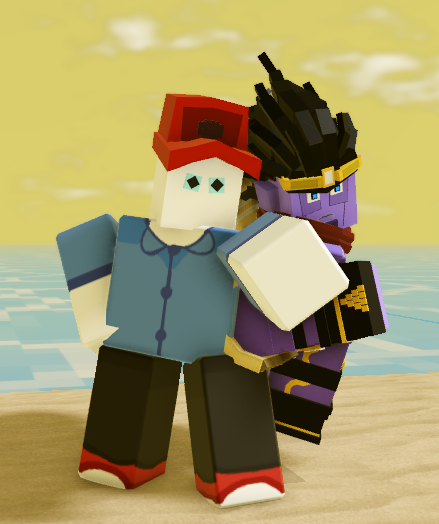

Hold T to access EX moves. Use the Stand guides to look up a specific move’s input, charge cost and requirements.
Choose an evasive while stunned
When using a Stand with a sub-ability, check what your active Stand already provides. The developer’s Evasives card gives the general rule for this pairing.
- Stand barrage: Use it during stun for 1 EX bar.
- Built-in evasive: Follow the move’s documented conditions. Silver Chariot’s French Rotation breaks stun and has a longer windup when used this way (Silver Chariot move card).
- Neither Stand option: Your sub-ability EX move is your evasive.
- Either Stand option: Your sub-ability EX move is a normal attack.
For example, Ceasar Hamon’s Seated Jump uses one bar, is available with a Stand and can break stun, according to the Ceasar Hamon move card.

Anti-teaming and time stop
What happens when several players hit one target?
When two or more players hit the same player in quick succession, anti-teaming can give the target about a second of invulnerability. If you and another player are attacking the same target, watch for that brief protection before committing to another hit.
When can you overwrite Time Stop?
If both players can use Time Stop, either can activate their own Time Stop during the other’s. Check your Stand’s move list for a Time Stop ability before relying on an overwrite.
Sources
Developer Trello cards and media checked November 18, 2026.
- Controls
- Perfect Blocking
- Pilot
- Crouching
- Ledge Climbing
- Awakening Bar (EX Bar)
- Posing
- Anti-Teaming
- Overwriting Time Stop
- Rohan’s Villa briefing
Evasive rules, move cards and the Seated Jump clip checked November 20, 2026 (UTC).